How I Optimized My Claude Code Usage with claude-board
Claude Code has a gap: you cannot direct what it outputs until the work is done. You write a prompt. The agent goes off and builds. You see the result at the end. If it made a wrong call halfway, you find out too late. So you either write a perfect prompt up front, or you fix things after.
I closed this gap with two tools: my /grill command and claude-board. /grill makes the agent stop and interview me before it builds anything. claude-board puts that interview in my browser: one page with every question, and mocks or diagrams rendered next to them. I answer, press Send, and the session continues with my answers. The work becomes a conversation instead of a surprise.
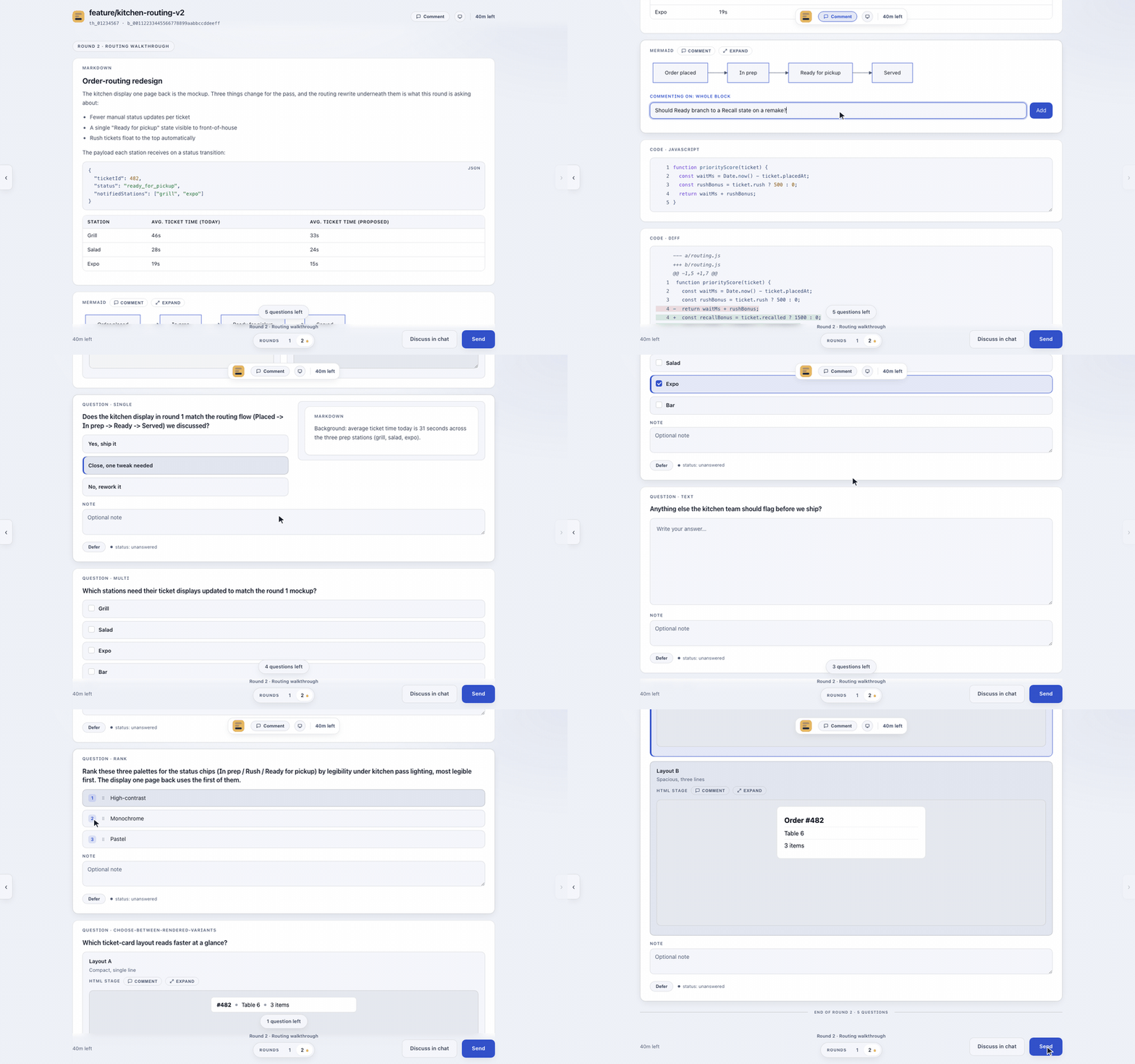
A full sample board, rendered in your browser: sample-board.html.
Install
claude-board is a Claude Code plugin:
/plugin marketplace add JerryLui/claude-board
/plugin install claude-board@claude-board
/claude-board:install
Local only, macOS only. Node 22 or newer. /grill is my own command, but the repo ships grill-example, the same idea, ready to copy into
All questions at once
In the terminal, Claude can ask at most four questions at a time. The board has no cap. /grill posts every open decision as one page. I answer in any order and skip what I want. Skipped questions come back marked unanswered; the agent never guesses for me.
Comment on the mock, not the code
The agent draws the mock or diagram first and posts it. I click any part of it and leave a comment right there. The feedback lands before the code exists. Changing a drawing is cheap. Changing built code is not.
Pick by looking
Two ways to build a screen? The agent renders both. I click the one I want and note why. A picture beats a label.
Every decision is saved
Each board is a file on my disk. Old boards are searchable. "Why did we pick X" is a search now, not a memory test. This turned out to be my favorite part.
Answer when I want
Questions wait in a browser tab, not in a terminal that scrolls away. A menu-bar item shows which boards wait on me. I answer when I have time, and the session picks up from there.
Try it: next time your agent has options to show, tell it to put them on the board.